Major Update in leaker - New Sources and Search Types
Major update to leaker - from 2 to 9 sources, new search types, JSONL output, and many quality-of-life improvements.
Introduction
TL;DR: leaker has received a massive update since its initial release — 9 sources, 5 search types, JSONL output, and much more. Check it out on GitHub — https://github.com/vflame6/leaker.
It’s been a while since I introduced leaker — my passive leak enumeration tool. At the time of release, there were only 2 sources available: proxynova and leakcheck. The tool worked, but the source coverage was very limited.
I’ve finally had the time to do a proper research for additional leak sources. There are still fewer public leak APIs compared to something like subdomain enumeration, but the situation is much better than I thought when I first wrote the tool. After going through a lot of services, I found 7 more with APIs that can return actual leaked data — bringing the total to 9 sources.
I also want to take a moment to thank the community. When I published leaker, I honestly did not expect it to get much attention. Seeing the project grow past 250 stars on GitHub was a surprise and a great motivation to keep improving it. Thank you for the support, bug reports, and ideas — it means a lot.
In this post, I will walk through everything that changed since v1.0.0.
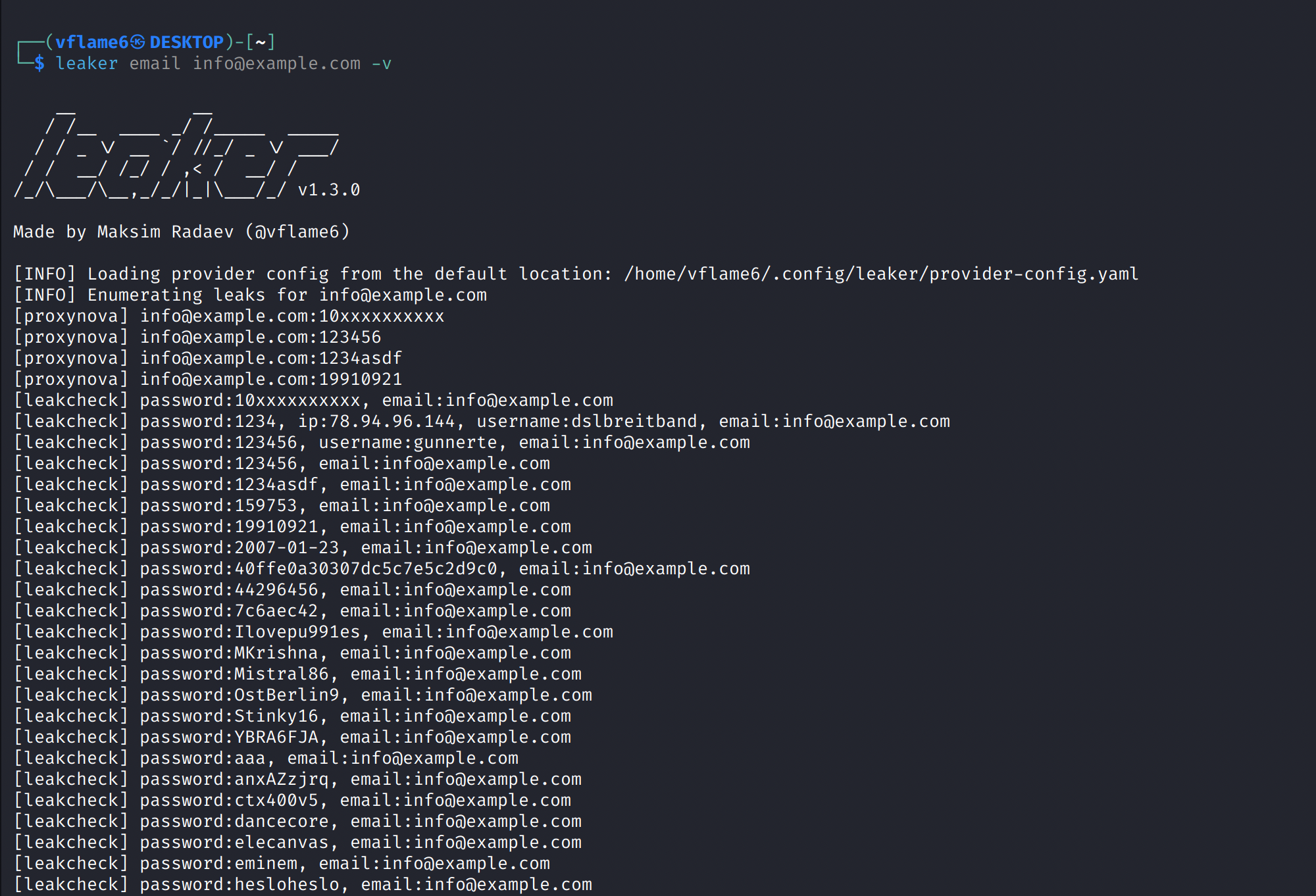
From 2 to 9 Sources
The biggest change is the source count. Here is the full list of sources in v1.3.0:
| Source | API Key | Pricing |
|---|---|---|
| ProxyNova | No | Free |
| LeakCheck | Yes | Paid |
| OSINTLeak | Yes | Paid |
| Intelligence X | Yes | Free tier available |
| BreachDirectory | Yes | Free via RapidAPI |
| Leak-Lookup | Yes | Paid |
| DeHashed | Yes | Paid |
| Snusbase | Yes | Paid |
| LeakSight | Yes | Paid |
Each source has its own API format and authentication method. Some use simple API keys, others use RapidAPI, and Intelligence X has an async search/poll/terminate flow. The tool handles all of this internally — you just provide the API keys in the config file and leaker does the rest.
To use sources that require API keys, you need to register on their websites using the links in the table above. After registration, you can find your API keys in account settings or API documentation pages. Note that some sources do not provide API access without a paid subscription — free registration alone is not enough for those.
ProxyNova is the only source that works without any registration. Intelligence X and BreachDirectory offer free tiers with limited access — enough for basic checks. The rest require paid subscriptions to get API access.
Configuration
leaker generates a provider-config.yml file on first launch. Add your API keys there:
1
2
3
4
5
6
7
8
leakcheck: [YOUR_LEAKCHECK_API_KEY]
osintleak: [YOUR_OSINTLEAK_API_KEY]
intelx: [2.intelx.io:YOUR_INTELX_API_KEY]
breachdirectory: [YOUR_RAPIDAPI_KEY]
leaklookup: [YOUR_LEAKLOOKUP_API_KEY]
dehashed: [YOUR_DEHASHED_API_KEY]
snusbase: [YOUR_SNUSBASE_ACTIVATION_CODE]
leaksight: [YOUR_LEAKSIGHT_TOKEN]
If the API keys are not specified, leaker will automatically skip sources that require them and use only the free ones.
Each source accepts a list of API keys for load balancing:
1
leakcheck: [key1, key2, key3]
Intelligence X Configurable Host
Intelligence X offers different API tiers on different hosts. The provider config supports HOST:API_KEY format:
1
2
intelx: [free.intelx.io:your-uuid]   # free tier
intelx: [2.intelx.io:your-uuid]      # paid tier
This lets you switch between tiers without changing any code. Keys without : separator are rejected with a warning message.
Search Types
In v1.0.0, leaker only searched by email. Now it supports 5 search types, each as a separate command:
| Command | Description | Input Format | Example |
|---|---|---|---|
email | Search by email address | Valid email | user@example.com |
username | Search by username | Any string | johndoe |
domain | Search by domain name | Valid domain | example.com |
keyword | Search by keyword | Any string | company |
phone | Search by phone number | 10-15 digits, no + or separators | 15551234567 |
The phone search validates that the input contains only digits and is between 10 and 15 characters long. Most sources that support email search also support phone numbers — the tool routes them to the correct API endpoints automatically.
Usage
Basic search. By default it will try to use all sources available. But will skip sources with API key requirement if the actual API key is not provided.
1
leaker email user@example.com
Search with specific sources:
1
leaker domain example.com -s leakcheck,dehashed
JSONL output to file:
1
leaker phone 15551234567 -j -o results.jsonl
Piped input from stdin:
1
echo "user@example.com" | leaker email
Read targets from file:
1
leaker username targets.txt
Verbose output with debug:
1
leaker email user@example.com -v -D
Using an HTTP proxy:
1
leaker email user@example.com --proxy http://127.0.0.1:8080
You can view the whole list of available setting in the help menu. Use -h flag to show the help menu:
1
leaker -h
Quality-of-Life Improvements
Here are the other notable changes since v1.0.0:
- JSONL output — structured output for pipelines and automation (
-j), one JSON object per line - Result deduplication — removes duplicate results across sources when multiple sources return the same data. Can be disabled with
--no-deduplication - Graceful cancellation — Ctrl+C now cleanly stops all running sources instead of killing the process
- TLS verification — enabled by default, with
--insecureflag to disable when needed - Result filtering — filters irrelevant results by default (e.g. domain-matched results when searching by email). Can be disabled with
--no-filterto see raw results - Various search types — added
domain,keyword,usernameandphonecommands for various types of leak searches - Stdin input — targets can be piped via stdin for integration with other tools
- File input — pass a file path as target to search multiple entries
- Docker support — Dockerfile included for containerized usage
- Multiple API keys — load balancing across multiple keys per source
What’s Next
There is always room for more sources. If you know of a leak database with an API that returns actual leaked data, feel free to open an issue on GitHub.
The tool is available at https://github.com/vflame6/leaker. Contributions are welcome.
Thank you for reading, I hope it was useful for you ❤️